
Google Ads vs Meta Ads: Which Is Right for Your Business?
Google captures people who are already searching. Meta creates demand among people who are not searching yet. How to choose between them, when to use both, and how to split a first budget.

A step-by-step guide to tracking leads and sales from Facebook and Instagram ads on a WordPress site: the Pixel, the Conversions API, deduplication, testing and the mistakes that break tracking.
Facebook and Instagram ads can only optimise for what they can measure. If Meta does not know which clicks became leads or sales, it cannot find more people like them. That is why tracking is the first thing we set up for any client, before a single ad goes live.
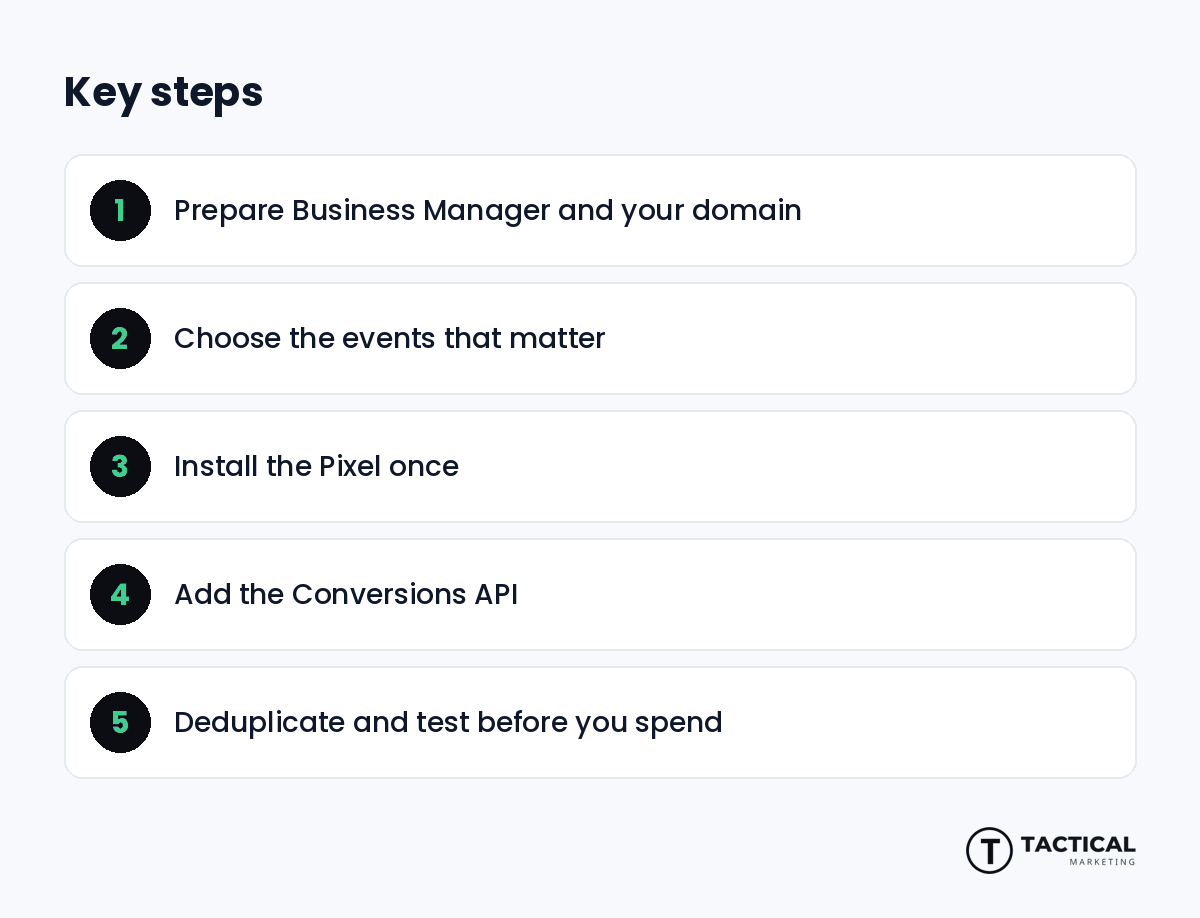
This guide explains how to set up the Meta Pixel and the Conversions API on a WordPress site, in the order we use.
The Meta Pixel is a small piece of code that runs in the visitor’s browser. It tells Meta when someone views a page, submits a form or buys something.
The Conversions API (often called CAPI) sends the same events from your server directly to Meta. Browsers increasingly block or limit tracking code, so server events fill the gaps that the Pixel misses.
Used together, with deduplication, they give Meta a much more complete picture.
Do not track everything. Track the actions that mean business:
Fire a lead event only after the form is accepted, not when the button is clicked. Otherwise spam and failed submissions inflate your numbers.
There are three common ways on WordPress:
Whichever you choose, install the Pixel once. Two installations mean every event is counted twice.
You can send server events in several ways: through Meta’s partner integrations, through a server-side tag manager, or with custom code on your server. For many WordPress sites, the simplest route is the integration built into Events Manager for the platform you use.
Server events should include customer information that helps Meta match the event to a person, such as email and phone number. This data must be hashed before it is sent, and your privacy policy should explain it.
When the same lead arrives from both the Pixel and the server, Meta needs to know it is one event. Send the same event name and the same event ID from both sides. Meta then keeps one and discards the duplicate.
Without deduplication your results look better than they are, and the algorithm learns from wrong numbers.
Automatic advanced matching lets the Pixel send hashed details that a visitor enters in your forms. It improves how many events Meta can link to real accounts, which helps reporting and optimisation. Enable it in the dataset settings and mention it in your privacy policy.
Delete or exclude your test leads so they do not count as real results.
Do I still need the Pixel if I use the Conversions API? Yes. They work best together. The Pixel captures browser activity and the Conversions API fills in what browsers miss.
Is the Conversions API hard to set up? With a partner integration it can take an hour. Custom setups take longer but give you more control over which events and data are sent.
How do I know tracking is working? Events appear in Events Manager, the test tool shows them arriving, and the number of leads Meta reports is close to the number you actually received.
Want us to check your tracking? Book a free 30-minute consultation and we will review your Pixel, Conversions API and Google tracking with you.
Keep reading
Google captures people who are already searching. Meta creates demand among people who are not searching yet. How to choose between them, when to use both, and how to split a first budget.
How to set up, test and scale Facebook and Instagram ads for an online store in the UAE — tracking, account structure, bilingual creative, offers and the numbers to watch.
More leads are easy. Better leads are hard. A practical framework for developers and brokerages using Meta, Google, landing pages and WhatsApp to generate enquiries that turn into viewings and deals.