
Google Ads vs Meta Ads: Which Is Right for Your Business?
Google captures people who are already searching. Meta creates demand among people who are not searching yet. How to choose between them, when to use both, and how to split a first budget.

Many Gulf customers search in Arabic, English or a mix of both. How to structure a bilingual website, research keywords in each language and avoid the mistakes that stop Arabic pages from ranking.
In the UAE and the wider Gulf, customers search in Arabic, in English, and often in a mix of both — sometimes typing Arabic words in Latin letters. A website that only works in one language leaves part of the market to competitors. But simply adding a translation plugin rarely works. Search engines need a clear structure, and Arabic searchers need content written for them.
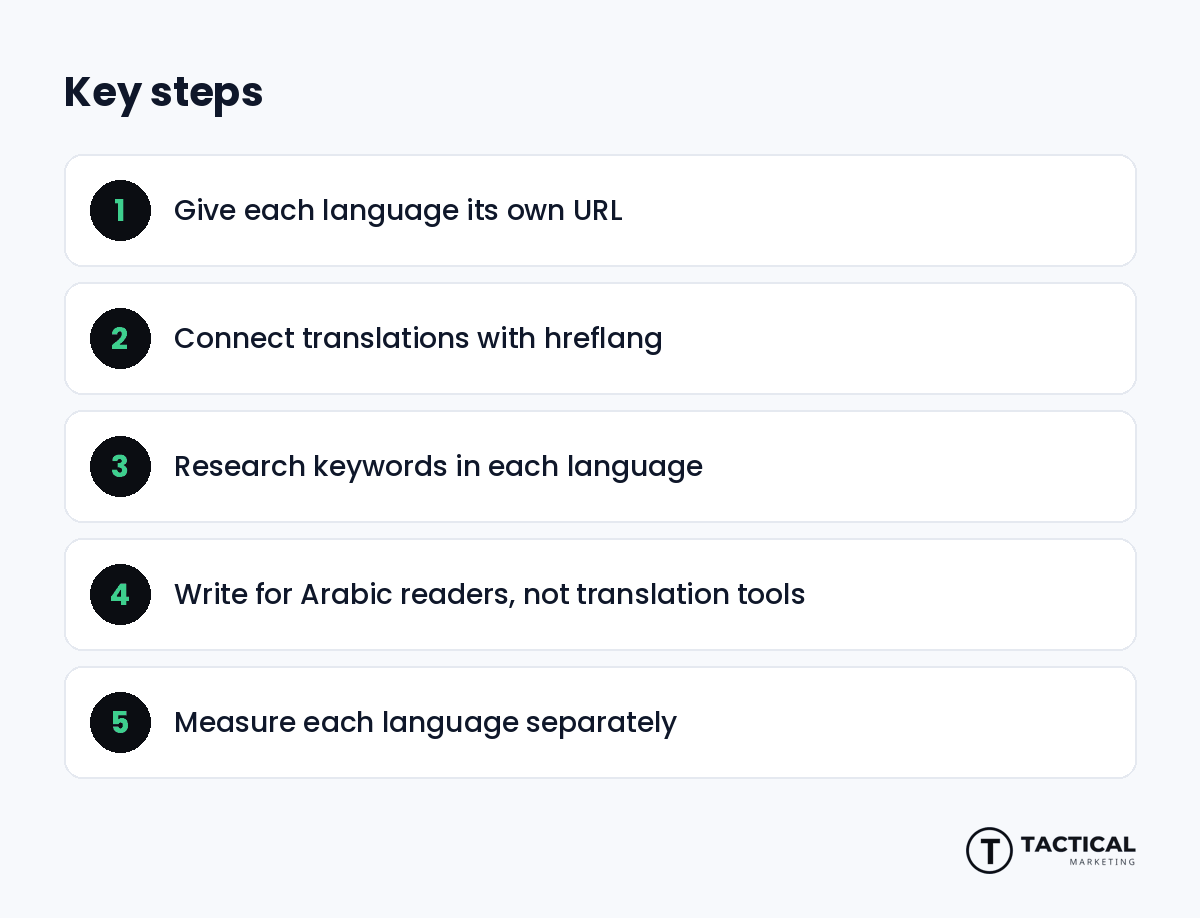
Here is how to build bilingual SEO that ranks in both languages.
Search engines index URLs, not languages switched by a button. Each language version of a page needs its own address. The most common and easiest structure is a subfolder:
example.com/services/ for Englishexample.com/ar/services/ for ArabicSubfolders keep both languages on one domain, so authority built by one helps the other. Avoid showing a different language on the same URL based on the visitor’s browser or location — search engines may only ever see one version.
Use hreflang tags so Google understands that the English and Arabic pages are versions of the same content:
hreflang="en" and hreflang="ar".x-default for the version shown when no language matches, usually English.Also set the HTML language and direction correctly on Arabic pages (lang="ar" dir="rtl"), and include both language versions in your XML sitemap.
Arabic keywords are not translations of English keywords. People phrase searches differently, use different terms, and use both Modern Standard Arabic and local dialect.
Machine translation produces pages that read awkwardly and rarely rank well. For key pages:
Arabic pages must read from right to left. Check:
A poor RTL experience increases bounce rates, which hurts both conversions and rankings over time.
Links and mentions from Arabic-language websites — local directories, industry publications, partners and media — help Arabic pages rank. A Google Business Profile with your business name, description and posts in both languages strengthens local visibility.
In Google Search Console and Analytics, compare performance for /ar/ pages and English pages:
These reports show where to invest next — for example, whether to write more Arabic articles or improve Arabic service pages.
/ar/ subfoldersA bilingual website is one of the clearest advantages a business can have in Gulf search results. If you want help planning yours, see our SEO service or book a free 30-minute consultation.
Keep reading
Google captures people who are already searching. Meta creates demand among people who are not searching yet. How to choose between them, when to use both, and how to split a first budget.
A step-by-step guide to tracking leads and sales from Facebook and Instagram ads on a WordPress site: the Pixel, the Conversions API, deduplication, testing and the mistakes that break tracking.
WhatsApp is where UAE customers already talk to businesses. How to use the WhatsApp Business app and API, collect consent, automate replies and follow-ups, and connect it to your ads and CRM.